


 1
1
NNTP Pipelining allows SABnzbd to request multiple Usenet articles from a server without waiting for each response before sending the next request. This reduces round‑trip delays between your device and the Usenet server and can improve article access speed, especially on higher latency connections.
Newshosting supports NNTP Pipelining across its Usenet server network. When enabled in SABnzbd, the newsreader can send multiple article requests without waiting for each response, helping the connection stay active and improving efficiency when retrieving articles.
When NNTP Pipelining Helps
NNTP Pipelining is most useful when the connection between your device and the Usenet server has noticeable latency. Instead of waiting for each request to complete, SABnzbd keeps the request pipeline full, which reduces idle time between article transfers.
Situations where NNTP Pipelining can help include:
- Long‑distance connections to the Usenet server
- High‑latency networks
- Connections using a smaller number of server connections
Performance improvements vary depending on your connection speed, latency, and the number of connections configured in SABnzbd.
Enable NNTP Pipelining in SABnzbd
Use the following process to configure NNTP Pipelining in SABnzbd.
Step 1: Open the SABnzbd Settings Page
- Launch the SABnzbd Web interface in your browser.
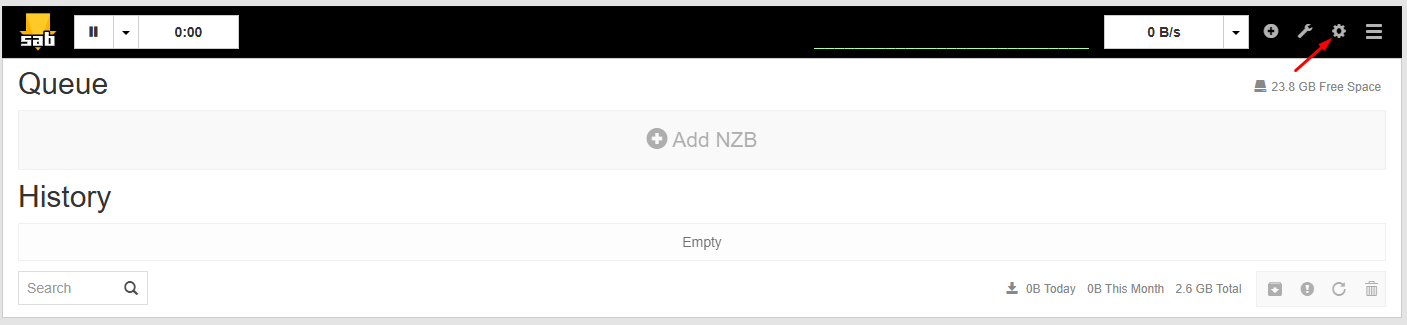
- Click Settings (the gear icon) in the top navigation bar.
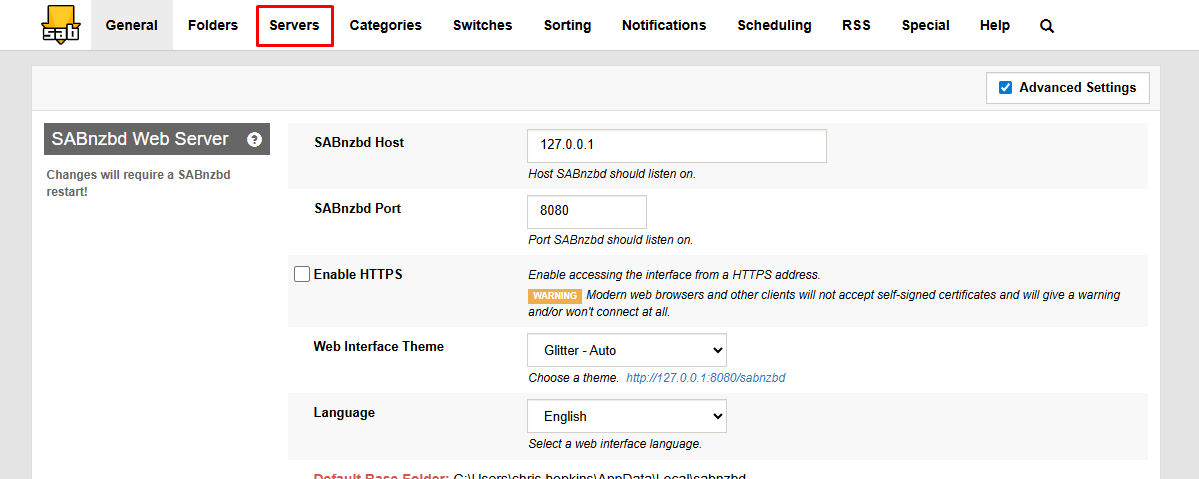
- Open the Servers tab to view your configured Usenet servers.
Step 2: Access the Server Details
- Find your Newshosting server entry in the list.
- Select Show Details next to that server.

- The expanded panel displays additional server configuration options used for performance tuning.
Step 3: Adjust the Article Request Value
- Locate the Articles per request setting.
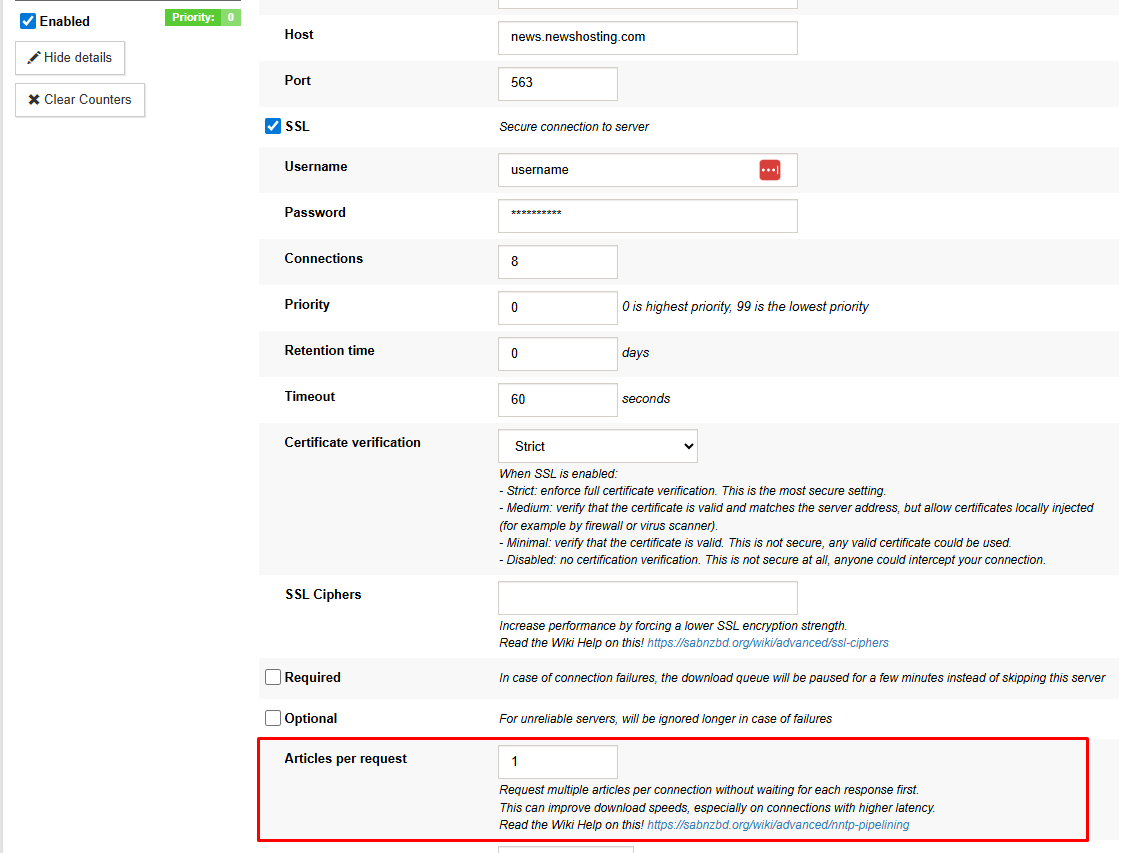
- Enter the number of articles SABnzbd should request in each batch.
- Test different values to determine which performs best for your system and connection.
- Click Save Changes to apply the update.
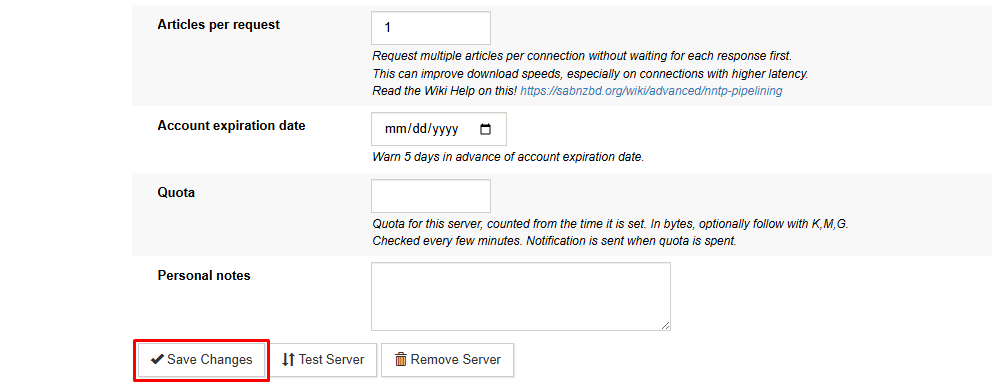
Once saved, SABnzbd will begin requesting multiple Usenet articles in a single sequence, which enables NNTP Pipelining behavior.
Recommended SABnzbd Settings
To get the most out of NNTP Pipelining, review these SABnzbd configuration options:
- Connections: Start with a moderate number of connections and adjust if needed.
- SSL Encryption: Newshosting supports secure connections using SSL.
- Server Address: Use news.newshosting.com
These settings help SABnzbd interact efficiently with the Usenet server while pipelining is active.
Troubleshooting
If you experience issues after enabling NNTP Pipelining:
- Confirm your SABnzbd version supports NNTP Pipelining.
- Verify the server configuration in the Servers tab.
- Restart SABnzbd after changing advanced settings.
If performance does not improve, the feature can be disabled using the same settings menu and changing the Articles per request back to 1.

